
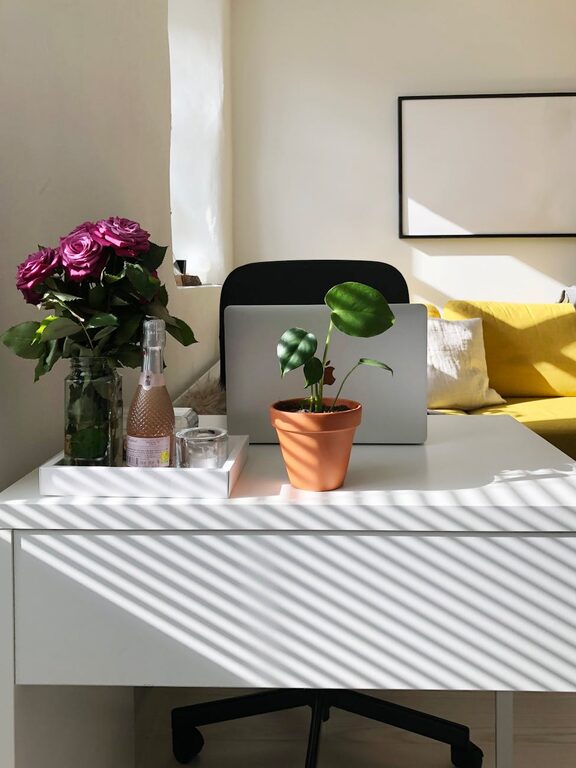
Creating a home office that feels both cosy and functional can make a significant difference in your workday. Whether you’re working from home full-time or just occasionally, a well-designed workspace can boost your productivity, comfort, and overall well-being. This guide offers easy-to-follow tips to help you fashion a home office that suits your needs and style.
1. Choose the Right Location
Consider Natural Light
Select a spot that benefits from natural light, as it can improve your mood and reduce eye strain. Position your desk near a window if possible, but avoid glare directly on your computer screen.
Minimise Distractions
Pick an area away from busy household zones to keep interruptions to a minimum. If space is limited, consider using room dividers or screens to separate your office from living areas.
2. Invest in Ergonomic Furniture
Desk and Chair
An adjustable chair with good lumbar support is essential for maintaining good posture and preventing discomfort. Your desk should be at a height that allows your arms to rest comfortably while typing.
Accessory Stands and Footrests
Consider a stand for your monitor to keep it at eye level and a footrest to support your feet, promoting better circulation.
3. Prioritise Organisation
Declutter Your Space
Keep only the essentials on your desk. Clutter can be distracting and reduce your focus.
Storage Solutions
Use shelves, drawers, and organisers to keep documents, stationery, and equipment neatly stored but within easy reach.
4. Lighting Matters
Layered Lighting
Combine overhead lighting with task lights like desk lamps to create a well-lit workspace. Adjustable lamps can help direct light where you need it.
Choose Warm Light Bulbs
Warm lighting can make your office feel cosy and inviting, especially during darker months.
5. Personalise Your Workspace
Add Plants
Indoor plants not only improve air quality but also add a touch of nature, making the space feel more relaxing.
Use Personal Items
Photographs, artwork, or inspirational quotes can make your office feel personal without causing distractions.
6. Create a Comfortable Climate
Ventilation
Ensure your workspace is well-ventilated to keep the air fresh and reduce stuffiness.
Temperature Control
Using a fan or heater can help maintain a comfortable temperature throughout the year.
7. Manage Technology Efficiently
Cable Management
Avoid tangled cords by using clips, boxes, or sleeves designed to keep cables organised and out of sight.
Reliable Wi-Fi and Equipment
Invest in necessary equipment such as a good-quality headset, printer, or webcam to enhance your workflow.
8. Incorporate Break Areas
Space for Relaxation
If possible, include a small area with a comfortable chair or cushions where you can take short breaks. This helps you recharge and maintain focus for longer.
9. Maintain a Routine
Set Boundaries
Define working hours to separate work and personal life, which is important for mental well-being.
Keep Your Space Clean
Spend a few minutes at the end of each day tidying your workspace to start fresh the next morning.
—
By carefully planning your home office with these tips in mind, you can create a space that supports both your productivity and comfort. Whether you have a dedicated room or a small corner, a cosy and functional home office is within your reach. Happy working!